
It is now basic knowledge that choosing a laser cutting machine for your business is not just about finding a machine with enough power. You also need to consider the materials you work with, the size of your projects, the level of detail required, and how frequently you expect to use the machine. This becomes particularly important if your business produces custom signage, awards and trophies, or architectural models. Although these applications all benefit from laser cutting and engraving, they have different material requirements and production demands.
This short guide is about the features that matter most when choosing a laser cutter for custom signage, awards, and/or architectural models in America. Our goal is to explain the differences between common laser technologies and explore one laser machine that is completely worth considering for all these applications.
1. Understanding Your Application Before Choosing a Laser Cutter
Before comparing machines, consider the materials you intend to process and the type of work you expect to produce.
Custom Signage
Signmaking often involves cutting and engraving materials such as cast acrylic, plywood, hardwood, and other suitable sheet materials. Acrylic is particularly popular for illuminated signs, business displays, directional signage, and decorative lettering.
For these applications, a CO2 laser with approximately 60W–90W of power is a practical starting point. A sufficiently large working area is also important, especially if you regularly produce larger signs or multiple components in one batch. Look for machines with pass-through doors, which allow longer materials to extend beyond the standard working area. One important consideration is the type of acrylic you use. Cast acrylic is generally preferable for laser cutting because it produces clean, polished-looking edges and engraves with a frosted appearance. This makes it particularly suitable for illuminated signage.
Awards and Trophies
Custom awards and trophies require a different combination of capabilities. Depending on your products, you may work with glass, crystal, acrylic blocks, coated brass plaques, and anodized aluminum. A CO2 laser is suitable for engraving glass and acrylic, while specialized rotary attachments allow you to work with cylindrical objects.
For businesses producing metal plaques and personalized awards, a fiber laser may also be worth considering. It can directly mark bare metals, including stainless steel, aluminum, and brass, without requiring marking compounds. If your business primarily produces detailed engraving on acrylic and glass, a CO2 machine can handle many projects. However, shops that regularly process metal awards may eventually benefit from adding a dedicated fiber laser.
Architectural Models
Architectural model making requires accuracy and consistency, particularly when producing small structural components, miniature windows, walls, and decorative details. Common materials include basswood, birch plywood, chipboard, museum board, and suitable acrylic or clear plastic sheets.
A machine with good motion accuracy, reliable focusing, and effective air assist can help produce cleaner cuts and reduce charring around delicate components. Working area is another important consideration. A larger bed allows you to arrange multiple components together, reducing the need to divide designs into smaller sections.
If your models include clear acrylic or other compatible transparent materials, a CO2 laser is generally a better choice than a standard blue diode laser.
How Each Application Shapes Your Machine Specifications
Different applications require different machine capabilities. The following comparison highlights the features worth prioritizing.
| Application | Common Materials | Important Machine Specifications | Key Considerations |
| Custom Signage | Cast acrylic (1/4″–1/2″), plywood, hardwood | 60W–90W CO2 laser, spacious bed, pass-through doors | Cast acrylic produces clean edges and a frosted engraving finish. Pass-through doors accommodate longer materials. |
| Awards and Trophies | Glass, crystal, acrylic blocks, anodized aluminum, coated brass | CO2 laser, rotary attachment, or fiber laser for direct metal marking | CO2 handles glass and acrylic, while fiber lasers are better suited to bare-metal marking. |
| Architectural Models | Basswood, birch plywood (1/16″–1/8″), chipboard, museum board, clear acrylic | Accurate motion system, effective air assist, suitable focusing lens | Air assist helps reduce scorching around delicate components and small details. |
These specifications provide a useful starting point, but your actual requirements will depend on production volume, material thickness, and the complexity of your designs.
Key Buying Considerations: What Should You Look For?
Beyond laser power and working area, several other features can influence how efficiently you complete your projects.
Glass CO2 Tubes vs. RF Metal Tubes
Most affordable and mid-range CO2 laser cutters use DC glass laser tubes. They offer a relatively affordable way to access higher cutting power, making them suitable for businesses working with thick acrylic, wood, and other non-metallic materials. However, glass tubes require water cooling and periodic replacement. Their operating lifespan depends on usage, cooling conditions, and maintenance.
RF metal CO2 tubes offer another option. They generally produce a smaller, more consistent beam spot, which can be beneficial for fine engraving and detailed typography. Their higher initial cost makes them less attractive for some small businesses, particularly those that prioritize cutting thicker materials over extremely fine engraving.
Keep in mind that neither type of CO2 tube replaces a fiber laser for direct marking of bare metals.
Software and Controller Compatibility
Your laser cutter’s software and controller are just as important as its physical specifications. Look for a machine with a Ruida DSP controller that supports LightBurn. This combination gives you greater control over engraving settings, cutting paths, layers, and material positioning.
- For signmakers, it makes managing multi-layer designs and arranging multiple components on a single sheet easier.
- Architectural model makers can also benefit from LightBurn’s layout and nesting capabilities, particularly when working with numerous small components.
Ventilation and Workspace Requirements
Laser cutting produces smoke, fumes, and airborne particles, making proper ventilation essential. Cutting acrylic, wood, chipboard, and other materials can release potentially harmful fumes. Your workshop should have an effective extraction system that directs exhaust outdoors or uses an appropriately designed industrial filtration system.
It is also very important to consider the machine’s physical dimensions and weight before purchasing. Larger CO2 laser cutters can weigh several hundred pounds, so make sure your workshop has enough floor space, suitable electrical connections, and adequate access for installation.
Recommended CO2 Laser Cutters for These Applications
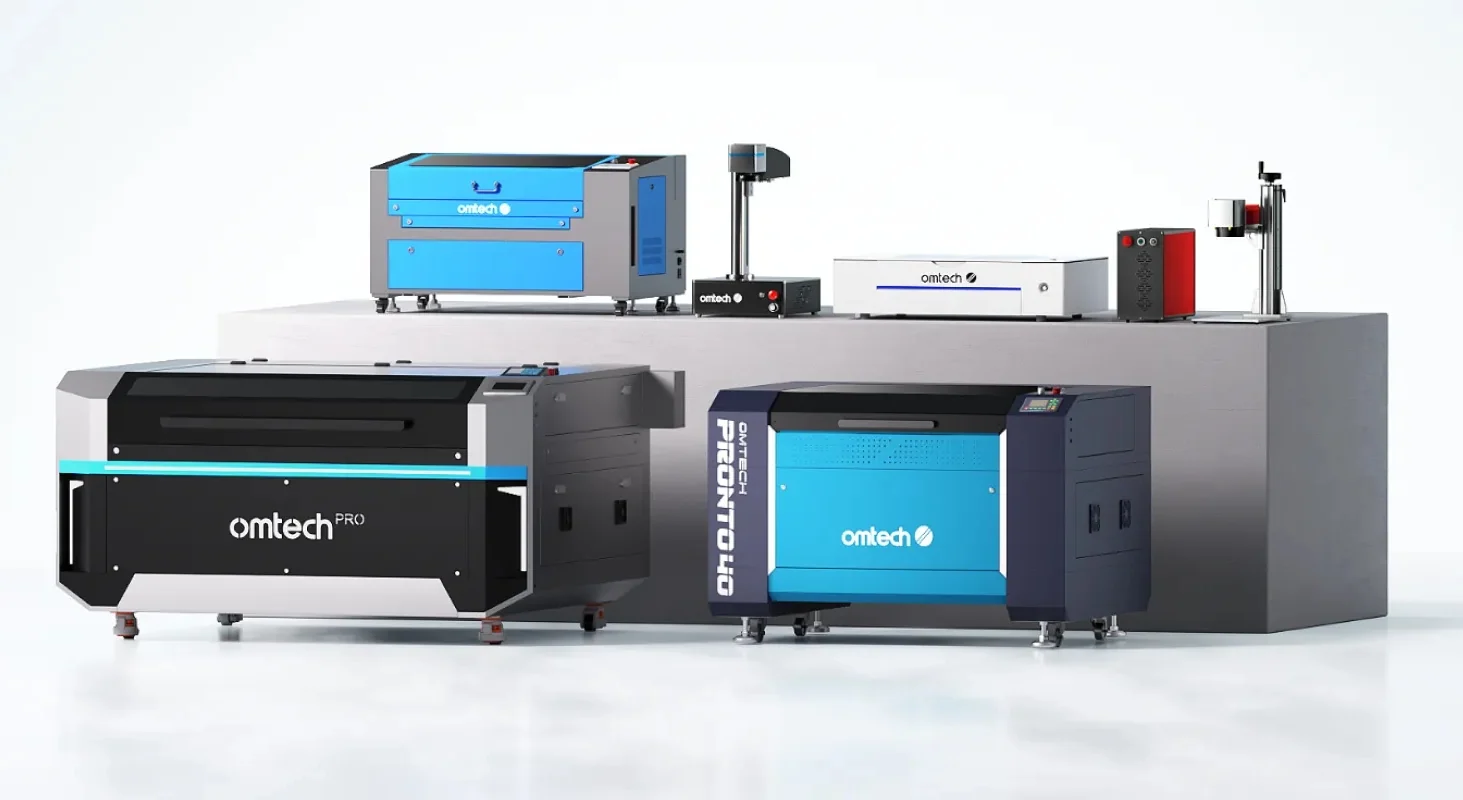
If you own or run a growing business and are on the prowl for a machine that can handle custom signage, awards, and architectural models, here is one option worth considering: the OMTech Maker AF2028 90W CO2 laser cutter. The Maker AF2028-80 is a 90W CO2 laser cutter with a 20″ × 28″ working area. It offers a useful combination of cutting power, working space, and production features for businesses handling different types of custom projects.
- Its 90W laser output provides the capacity to cut thicker materials, including suitable cast acrylic sheets, while also allowing you to work with thinner materials that require more delicate processing settings.
- The machine also features front and rear pass-through doors, making it easier to process longer workpieces that extend beyond the standard working area.
- Another useful feature is its autofocus capability, which simplifies focusing when switching between materials of different thicknesses.
Why consider the AF2028-80?
- 90W CO2 laser power: Suitable for cutting thicker acrylic and wood materials while supporting detailed engraving projects.
- 20″ × 28″ working area: Provides room for larger signs, multiple components, and architectural model parts.
- Pass-through doors: Allow you to work with longer materials that exceed the standard bed dimensions.
- Autofocus: Helps simplify machine setup when changing between materials.
- Ruida controller compatibility: Supports LightBurn for managing complex designs and production workflows.
The main consideration is that the AF2028-80 requires an external water chiller, such as a CW-5200. You should also account for routine maintenance, including mirror cleaning and alignment.
A Second Option For Smaller Shops
For a smaller workshop, the OMTech Maker MF1624-60 is a 60W CO2 laser cutter with a 16″ × 24″ working area. It is a practical option for smaller businesses that want to produce personalized products, custom signs, and decorative components without investing in a larger machine. Although it has less laser power than the AF2028-80, 60W is sufficient for many everyday engraving and cutting applications involving suitable wood and acrylic materials. Its front and rear pass-through openings also provide additional flexibility when working with longer materials.
Which OMTech Laser Cutter Should You Choose?
The right machine ultimately depends on the type of work you handle and the production capacity you need.
- If your business regularly produces large custom signs, thicker acrylic displays, or multiple components for architectural models, the AF2028-80 offers more cutting power and a larger working area.
- However, if you mainly handle smaller signage projects, personalized awards, and decorative products, the MF1624-60 provides a more accessible starting point.
Both machines offer useful capabilities for businesses working with non-metallic materials. The important thing is to choose a machine that matches your current production requirements while leaving enough room for your business to grow
Final Thoughts
Custom signage, awards, and architectural models may seem like three different industries, but they share an important requirement: the ability to produce clean, accurate, and consistent results across different materials. A CO2 laser cutter provides the versatility needed for many of these applications, particularly when working with acrylic, wood, glass, and other non-metallic materials. Before making your decision, consider your typical material sizes, required cutting thickness, production volume, and available workshop space. You should also account for cooling, ventilation, software, and maintenance requirements.
Ultimately, the best laser cutter isn’t necessarily the one with the highest wattage. It’s the machine that gives you the right combination of working area, cutting capability, and production flexibility for the projects you want to take on.
