

Key Takeaways
- Understand the importance of book mockups in marketing and presentation.
- Learn the essential elements that make a book mockup visually appealing.
- Discover tools and techniques to create professional book mockups.
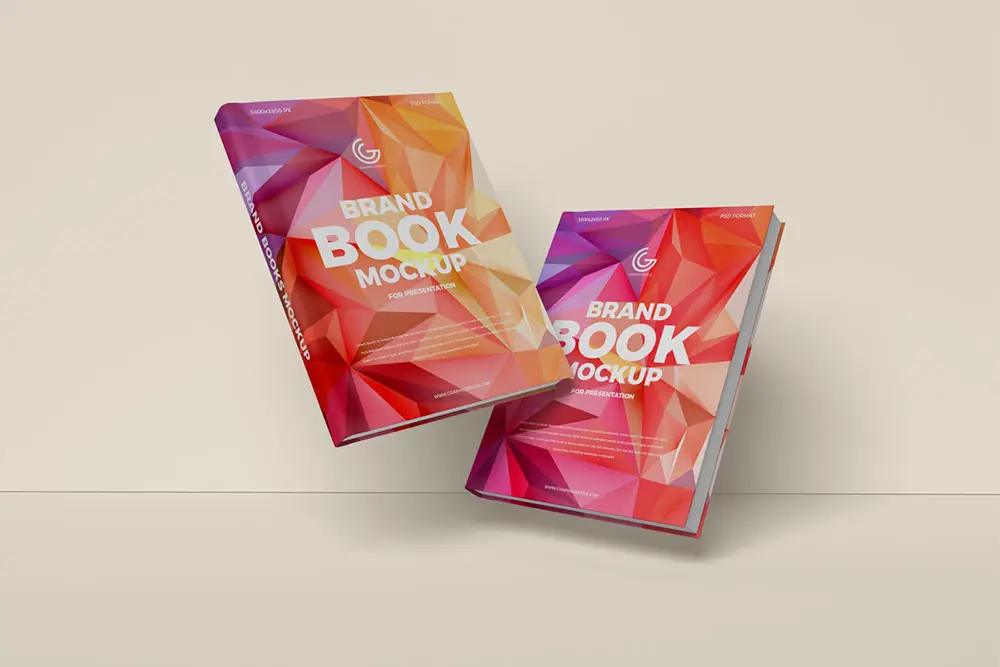
In a world where first impressions matter, a visually attractive book mockup can set your title apart before a single page is turned. Book mockups are digital images that showcase a book’s front cover, spine, and, sometimes, its interior, simulating what it will look like in the real world. For authors and publishers, mastering the art of the book mockup offers a powerful advantage in reader engagement and marketing campaigns.
These visual representations are not only vital for promotional purposes but also help validate design ideas, refine concepts, and build excitement before a book’s release. The ability to present your work with polish ensures your book stands out in a crowded marketplace.
Why Book Mockups Matter
The visual appeal of a book cover is often the primary reason a potential reader stops to consider a book. A strong book mockup provides an authentic preview of the printed product, instantly communicating quality and credibility. This realistic depiction can make the difference between a book that gets added to a shopping cart and one that is passed over. Quality mockups signal professionalism, boosting the effectiveness of marketing materials whether on websites, social media, or in press kits.
For self-published authors and small publishers, using mockups can level the playing field with larger competitors. Even the best story can be overlooked if its presentation fails to draw attention. The added professionalism of compelling mockups builds trust and increases the likelihood of press coverage or influencer interest.
Essential Elements of an Eye-Catching Book Mockup
Successful book mockups result from careful attention to a handful of critical visual elements. These components work together to create imagery that resonates with viewers and highlights the book’s strengths:
- High-Quality Images: Start with a cover image in high resolution so it appears crisp and detailed at any size.
- Realistic Lighting and Shadows: Light and shadows should appear natural, adding depth to the book and preventing it from looking flat or superimposed.
- Appropriate Backgrounds: Select simple, non-distracting backgrounds that complement, rather than compete with, your cover’s theme and color palette.
- Consistent Color Schemes: Stick with a harmonious range of colors that aligns with your branding and design to ensure cohesion.
Tools for Creating Book Mockups
Modern technology has made it easier than ever to craft professional-quality book mockups, even for those with limited design experience. The following tools are commonly used by authors and designers:
- Online Mockup Generators: Services such as Fotor and Kittl provide downloadable templates and drag-and-drop ease, letting you create diverse formats like paperback, hardcover, or stacked views.
- Design Software: For those wanting maximum customization, Adobe Photoshop remains the industry standard, offering advanced controls over every detail of your mockup.
- PSD Templates: Pre-designed Photoshop (PSD) templates allow users to quickly swap in their cover art without starting from scratch. These templates help you produce polished images suitable for all types of marketing materials.
Step-by-Step Guide to Creating a Book Mockup
Bringing your book mockup to life involves a defined process that ensures your end result is clean, persuasive, and visually engaging:
- Select a Template: Choose a layout that reflects your book’s genre and intended audience, such as a single cover, a 3D angled view, or a stack of books for a series.
- Upload Your Cover Design: Use your finished high-resolution cover file. It is important to confirm dimensions and bleed specifications to prevent distortion or cropping.
- Adjust Lighting and Shadows: Fine-tune these elements to provide realistic depth, matching them to the lighting direction in your background image.
- Choose a Background: Opt for a neutral or contextual background that reinforces your book’s message and mood, making sure it does not distract from the central focus.
- Review and Export: Perform a detailed check for clarity, alignment, and overall aesthetic before exporting your file. Aim to save in versatile formats such as PNG or JPEG for use on a variety of marketing channels.
Common Mistakes to Avoid
Creating an effective mockup means steering clear of numerous pitfalls that may undermine your efforts:
- Low-Resolution Images: Blurry or pixelated visuals instantly reduce perceived professionalism and can deter potential readers.
- Inconsistent Lighting: Shadows and light that do not match between the background and book make the mockup appear fake and off-putting.
- Cluttered Backgrounds: Busy or distracting scenes pull attention away from the main product, hurting overall impact.
- Ignoring Color Harmony: Mismatched or clashing colors within the mockup create visual confusion and diminish appeal.
Conclusion
High-quality book mockups are an essential asset for anyone serious about marketing and selling books. By investing in realistic imagery, ensuring thoughtful background choices, and leveraging modern creation tools, you can showcase your literary project at its best. Avoid common mistakes and use available resources, such as Canva for design ideas, to keep your mockups top-notch. With smart presentation, you stand a far better chance of capturing the attention and interest your book deserves.
